
Best Budget Laptops
- May 30, 2020
- 9 min read
As many students and professionals continue to work from home, more people require additional computers at home. I have broken down the best budget laptops that are available right now in Australia for under $1,000, in addition to some alternatives, such as the Microsoft Surface tablet.
Laptops
(price low to high)
ASUS VivoBook E406MA ($497)
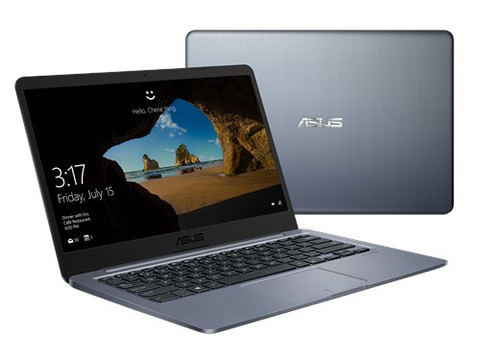
At under $500, the ASUS VivoBook E406MA is the most affordable laptop on the market right now. If you are someone who only requires a laptop to perform basic tasks such as using Microsoft office, emails, web browsing, or YouTube/Netflix (if you don't care about the quality) then this is for you.

Performance
Intel Pentium Silver N5000 1.1GHz Processor
The Pentium Silver N5000 is an entry-level, quad-core, 3rd generation energy efficient SoC. With a minuscule clock speed of 1.1GHz, the processor will handle most everyday tasks, however will struggle with multiple programs being open and you will even notice slower app launch speeds.
4GB DDR4 RAM
4GB of RAM is a great size for a laptop this small and with its limited processing power. It will handle everyday apps, such as Microsoft Office and Exchange, however there will be noticeable slower speeds to more intensive apps such as Adobe Photoshop and Illustrator. The downside is that the memory is fixed, meaning you can't upgrade it beyond 4GB.
128GB eMMC Storage
Compared with other laptops in this price range, such as the Acer Chromebook 514, you're getting a significant 128GB eMMC storage drive. The compromise to having an eMMC drive is reduced speeds compared to an SSD and a smaller size verses a HDD. However, you're likely purchasing this laptop for word processing an emails so 128GB will be sufficient.


Display & Graphics
14" 1366x768 (720p standard definition) Display
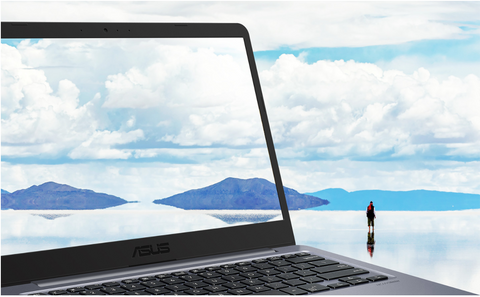
The VivoBook uses ASUS's 'NanoEdge' display which features 7.88mm bezels and boasts a 76.5% screen-to-body ratio. However, the 14" display on the entry-level model only has a 1366x768 resolution, so don't expect to be watching YouTube or Netflix in high definition. The colours won't be as rich and vivid as a more premium 1920x1080 display.
Intel UHD 605 Graphics
UHD graphics is an integrated graphics unit from the processor. As the processor is only 1.1GHz, gaming on the VivoBook cannot occur, the CPU cannot handle the requirements. However, video playback from YouTube and Netflix will be seamless.
640x480 (480p low quality) Webcam
Compromises should be no surprise when purchasing a cheap laptop and the VivoBook is no exception. The webcam is a low quality 480p resolution, which may not be suitable for video conferencing.



Connections & Specs
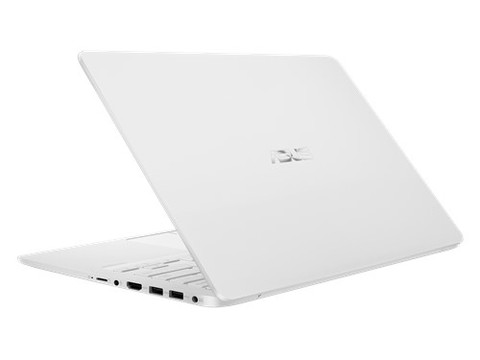
1x HDMI 1.4 2x USB 3.1 (Type-A (Standard)) 1x MicroSD Card Reader 1x Audio Jack Non-backlit keyboard
Although it lacks a USB-C port, the connections suit everything you will need for everyday tasks. The only negative, however another compromise for price, is a non-backlit keyboard, making it difficult to type with in poorly-lit areas.
1.3 kg 17.6mm thin 14-Hour Battery Life
14-hour battery is phenomenal in a budget laptop in which its weight is entering ultrabook territory. ASUS has designed the VivoBook for portability and versatility and it has delivered. You will be able to work for a full day without the need for a charger and is light enough to not need a dedicated laptop bag.
Windows 10 S
Windows 10 S is a limited version of Windows 10. It only allows app installations from the Microsoft Store and not the internet. You can upgrade from Windows 10 S to Home, however it requires a processor with a minimum of 1.0GHz. The VivoBook's small 1.1GHz processor likely won't handle the upgrade so it's best avoided. Colours Star Grey, Pearl White, and Iris Blue


Availability
Bing Lee ($499)
JB Hi Fi ($497)
Lenovo IdeaPad S145 ($689)

In the mid-budget range of $500-$750, the Lenovo IdeaPad S145 will provide faster speeds, increased performance, and higher resolution graphics over the ASUS VivoBook for only $192 extra. For students or professionals that require more oomph than a basic laptop for applications such as Adobe Photoshop or Lightroom, the IdeaPad will deliver.
Performance
Intel 10th generation dual-core i3-1005G1 1.2GHz Processor
The 10th generation Intel chips are the newest in-market processors for Intel. However, as the IdealPad is an entry level model, it uses an entry level processor. Although on face there is only a 0.1GHz increase in clock speed, benchmark testing indicates the i3 is 56 per cent faster than the inferior Pentium Silver N5000. This means that the IdeaPad can handle the same processes as the VivoBook and a bit more, include Adobe Photoshop and Lightroom. Multitasking and app launch speeds will also be faster and more efficient.
4GB DDR4 RAM
Containing the same RAM as the VivoBook, the IdeaPad will perform slightly better due to the i3. Adobe Photoshop and Illustrator can be handled, however don't expect to work on multiple projects at once.
128GB SSD Storage
An advantage the IdeaPad has over the VivoBook is the SSD storage. The storage capacity is identical, however you will receive faster read & write speeds – an advantage when working with larger files.


Display & Graphics
14” 1366x768 TN Display
Similar to the VivoBook, the IdeaPad has just over a 720p resolution. However, the display is TN (twisted nematic) – which is a type of LCD. As the cheapest LCD panel, it offers the highest refresh rates, minimal motion blur, and low response times, however the colour and viewing angles are poor.
Intel UHD 620 Graphics
Although the graphics unit is integrated like the VivoBook, the increased CPU performance has a significant impact on the graphics performance. Benchmark tests reveal the UHD 620 (IdeaPad) provides a 141% faster graphics performance over the UHD 605 (VivoBook). This will allow for seamless use of Adobe Photoshop and Lightroom, and low-intensive online or java-based games. Fully-fledged games will still be out of question.
640x480 (480p low quality) Webcam
The webcam is identical to the ASUS VivoBook, and is still unsuitable for video conferencing.
Connections & Specs
1x HDMI 1.4 port
2x USB 3.1 (Type-A (standard))
1x USB 2.0 (Type-A (standard))
1x 4-in-1 media reader (MMC, SD, SDHC, SDXC) 1x Audio Jack Non-Backlit Keyboard
Similar to the VivoBook, the IdeaPad has all the essential ports for a light-workload. It hosts and additional, but slower, USB 2.0 port and doesn't support USB-C either. However, the media reader is 4-in-1, supporting MMC, SD, SDHC, and SDXC cards, with no microSD supported unless used with an adapted. 1.6 kg 19.9 mm thin 6-Hour Battery Life
The only two disadvantages of the IdeaPad against the VivoBook is a 50 percent smaller battery, which won't last a full day, and an increased weight and size. However, the portability is still great.
Windows 10 S
The IdeaPad comes pre-installed with Windows 10 S, however as the processor is more powerful than the Asus VivoBook, it will handle an upgrade to Windows 10 home. This upgrade is essential if you wish to install applications from the internet that cannot be found in the Microsoft Store. Colours Mineral Grey Glossy

Availability
JB Hi Fi
Acer Aspire 5 A515-54-793P ($969)
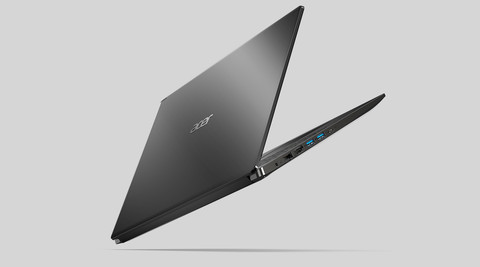
For the top-end of budget laptops, the new Acer Aspire 5 suits everyone who don’t need a pro laptop. All for under $1,000. Alongside more intensive applications such as Adobe After Effects, the Aspire will cope with light gaming as well, for example Fortnite.

Performance
Intel 10th generation quad-core i7-10510U 1.80GHz Processor
Equipped with a 10th generation i7 and 1.80GHz clock speeds, the Aspire outperforms the IdeaPad by 14 per cent. The extra power will enable more intensive processes and for the average user, will handle everything thrown at it.
8GB DDR4 SDRAM
Alongside a higher-end processor, the Aspire has an adequate 8GB of RAM. You will notice maintained speeds in Adobe Photoshop and Illustrator, however it may become sluggish when rendering in After Effects.
1TB HDD
Offering almost 8 times more storage that the IdeaPad and VivoBook, the 1TB HDD will provide ample file storage. For a laptop under $1,000 to have 1TB of storage is extremely rare, and although it isn’t a SSD, more storage space is a great compromise.
Display & Graphics
15.6” 1366x768 Display
The biggest compromise for price is the display. Other Aspire models that are cheaper are equipped with a 1080p display, however the performance is slower and storage smaller. The display is an IPS LCD which will provide the best colour from a 720p display, however for applications that rely on colour gamut such as photo editing, this is not ideal.
Intel UHD 620 Graphics
The same UHD 620 graphics are being used as that in the IdeaPad, however the faster processor in the Aspire will allow for games to be played. For example, Fortnite runs perfectly at 30 FPS.
1080x720 webcam (standard definition)
Although it doesn’t shoot in high definition, the 720p webcam is superior over the 480p found in the IdeaPad and VivoBook. It will be much better for video conferencing, however don’t expect your picture to be crystal clear.
Connections & Specs
1x HDMI 1.4 port
2x USB 3.1 (Type-A (Standard))
1x USB 3.1 (Type-C)
1x Audio Jack
1x Ethernet
Backlit Keyboard
For people with newer external drives and cables, the Aspire is equipped with a USB-C port so those cables will be compatible alongside two regular USB ports. The Aspire comes with all the usual ports (minus the SD card reader) and the keyboard is also backlit, allowing optimal use in poorly lit areas. An ethernet port is also available, allowing for faster internet speeds if you’re at a desk with an ethernet cable handy.
1.8 kg
17.95mm thin
9.5-hour battery
The Aspire does have an all day battery allowing for 9.5-hours, however it is still recommended that you keep a charger handy (especially if working with more intensive apps). It also isn’t the most portable laptop on the market, weighing in at almost 2kg and 20mm thick. However, it is still portable enough to carry it around with ease.
Windows 10 Home
A big advantage is that the Aspire is installed with the fully fledged Windows 10 Home. This means you have the comfort in knowing a) the laptop can handle the extra processing power required to run Home; and b) you can download and install apps/programs from the internet without needing to go through the Microsoft Store. Colours Black



Availability
Scorptec Computers ($969)
Microsoft Surface Go 2 ($629 / $879 / $1,199)
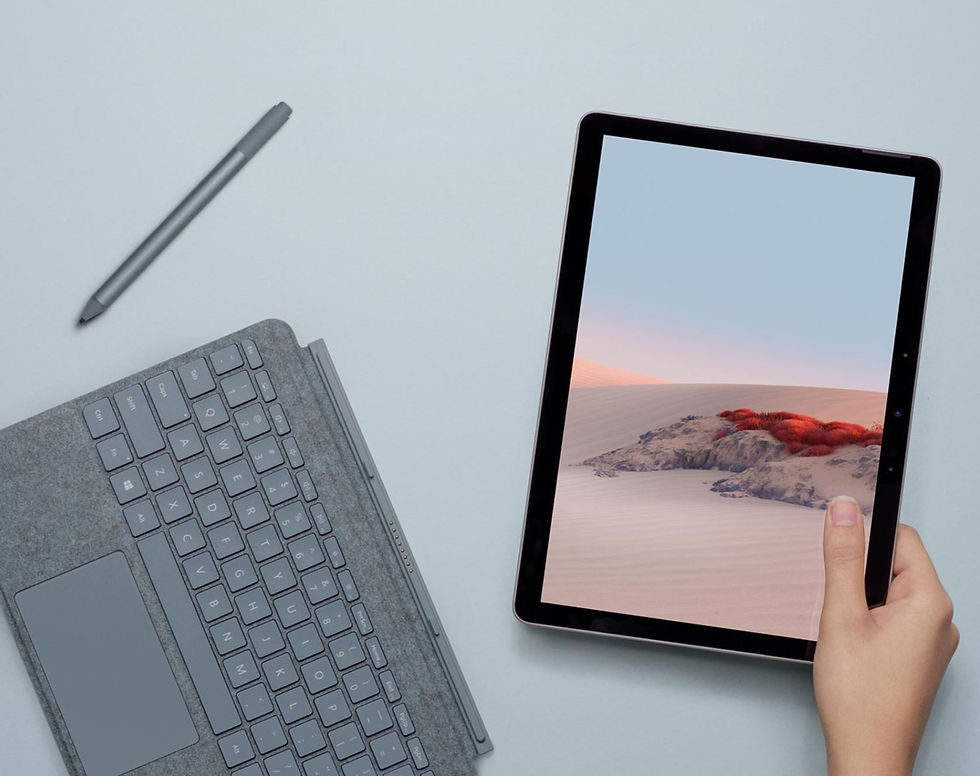
Finally, consideration must be thrown to Microsoft’s new Surface Go 2. This really is a niche device if you’re wanting versatility and ultra portability. However, the performance threshold is low, keyboard ($199) & pen ($134) are additional extras, and the recommended model pushes the ‘budget’ boundary.
Performance
Intel dual-core Pentium Gold 4425Y 1.70GHz (base & mid-range)
You can only really compare Pentium chips against Pentium chips as i3’s blow them out of the water. The Pentium Gold is a newer 10th generation dual-core chip, with the 4425Y being top of the range, achieving clock speeds of 1.70GHz. However, benchmark testing reveals it performs only 7 cent petter than the Pentium Silver N5000 found in the VivoBook.
Intel dual-core M3-8100Y (top-of-the-range)
In comparison with the i7 found in the Aspire, the M3’s performance is 38 per cent slower in a device that is $200 more expensive. It is however 20 per cent faster than the Pentium Gold. This performance threshold is really going to hold you back when working with more intensive apps such as Photoshop where you will receive noticeable lag.
4GB RAM (base) / 8GB RAM (mid & top-range)
Microsoft is flexing on the ability to lure you from the base model to mid-range model for double the RAM. There’s really no point as both models use the same processor. The 8GB found in the mid-model will however speed up the surface somewhat, however it will still struggle to multitas.
64GB SSD (base) / 128GB SSD (mid & top-range)
Storage capacity is the most disappointing aspect of the Go 2. Albeit, tablets generally have smaller storage capacities, however when running a fully fledged version of Windows 10, 64GB isn’t sufficient. You can even argue 128GB is too small as well, depending on what you’re doing.
Display & Graphics
10.5” 1920x1280 (3:2 aspect ratio) touch screen
Although a smaller display, Microsoft has included slimmer bezels and a FHD 3:2 aspect ratio display making everything appear more vivid, vibrant, and sharper. This is great for photo editing as it will grant you a wider colour range than 720p displays.
Intel UHD 615 Graphics
The UHD 615 is adequate for rendering in apps such as Photoshop or Lightroom, however don’t expect to play games on the Go 2, the smaller processor simply won’t cope, even on the M3 chip.
1920x1080 webcam
By far the best webcam of all the devices mentioned, the FHD webcam will allow for sharper image quality during video conferencing. It also has Microsoft Hello built in which unlocks the device with your face.
Connections & Specs
1x USB 3.1 (Type-C)
1x MicroSD Card Reader
1x Audio Jack
8MP Rear Camera
Built-in Stand
The connections only allow for newer external devices and cables with USB-C only being supported. For USB-A connections, an adapter will need to be purchased. Outside the device, it has a built-in stand, perfect for when using the device on a table as you can go hands-free. This is great for drawing or even typing as it has a large angle area. It is a massive advantage over the iPad where you have to purchase a third party stand to be able to do this. You can also shoot photos with the 8MP rear-facing camera.
554 g
8.3mm thin
10-hour Battery
The massive advantage the surface has is its portability and versatility. It weighs only half-a-kilo and is less than 1cm thin making it super lightweight and able to be carried anywhere. It does have a 10 hour battery life, however this is likely to be more around 6-7 if trying to multi-task, in which you will need to have your charger handy.
Windows 10 S
Similar to the VivoBook, the processing power in the Go 2 simply won’t handle the upgrade to Windows 10 Home and will make the tablet extremely sluggish.




Comments